

A plugin name File Manager has been found with a vulnerability
that is exploited by hackers.
need help to fix this ? call 2348064950565 or
email biodunb@gmail.com !
The File Manager plugin helps administrators manage files on
sites running the WordPress content management system. The plugin
contains an additional file manager named as elFinder. This is the
place where the problem is lying. The issue has raised because of
the wrong implementation of elFinder.
The extension on elFinder was changed
from connector.minimal.php.dist file
to.PHP. How the problem started just by changing the extension is a
complex topic though.
The problem is in the plugins/wp-file-manager/lib/files/. This
is where the actual plugin resides.
The File Manager plugin is used in more than 700,000 WordPress
sites. Hackers have found a vulnerability that allows them to
execute commands and malicious scripts on the sites running this
plugin.
NinTechNet, a website security firm in Bangkok, Thailand, was
among the first to report an attack. The post said that a hacker
was exploiting the vulnerability to upload a script titled
hardfork.php and then using it to inject code into the WordPress
scripts /wp-admin/admin-ajax.php and /wp-includes/user.php.
The attackers are basically uploading files that contains web
shells that are hidden in an image file. And after that, they have
an interface that allows them to run commands directly in the
location of the plugin.
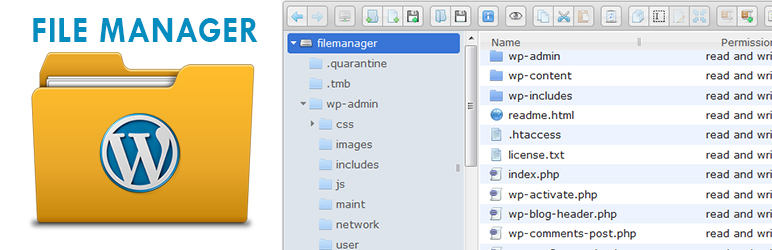
Source:WordPress
Website security firm Wordfence has said that it has already
blocked 450,000 exploit attempts in the past few days. The hackers
are initially uploading an empty file and if they are successful,
then they upload a malicious file. Some of the file names which are
malicious are hardfork.php, hardfind.php, and
x.php.
The attacker can reach your dashboard by exploiting step by this
issue step by step. Chloe Chamberland of Wordfence says “A file
manager plugin like this would make it possible for an attacker to
manipulate or upload any files of their choice directly from the
WordPress dashboard, potentially allowing them to escalate
privileges once in the site’s admin area,”
What Next
The developers of File Manager credited researcher Ville
Korhonen of security firm Seravo with discovering and first
reporting the vulnerability. Out of the 700,000 sites using
this, 52% of sites have been affected by this issue.
Sal Aguilar, who sets up and secures WordPress sites,
immediately wrote on twitter about this problem.
He said “The WP File Manager vulnerability is SERIOUS. Its
spreading fast and I’m seeing hundreds of sites getting infected.
Malware is being uploaded to
/wp-content/plugins/wp-file-manager/lib/files.”
So now talking about is there any solution, yes there is. The
problem is in the versions ranging from 6.0 to 6.8. If you have the
File Manager version 6.9, you are safe. The rest of them must
immediately update their File Manager to version 6.9.
need help to fix this ? whatsapp
2348064950565 or email info @tweeterest.com biodunb@gmail.com
!
MORE NEWS
WordPress attacks are on the rise: Administrators are advised to
update plugins WATCH NOW The developers of the WordPress File
Manager plugin have patched an actively-exploited security issue
permitting full website hijacking.
SECURITY Top exploits used by ransomware gangs are VPN bugs, but
RDP still reigns supreme Free photos, graphics site Freepik
discloses data breach impacting 8.3m users Best security keys in
2020: Hardware-based two-factor authentication for online
protection Best password managers for business in 2020: 1Password,
Keeper, LastPass, and more Cyber security 101: Protect your privacy
from hackers, spies, and the government White hat hacker reveals
the real job of an infosec pro (ZDNet YouTube) Top 6 cheap home
security devices in 2020 (CNET) What are IT pros concerned about in
the new normal? (TechRepublic) According to the Sucuri WordPress
security team, the vulnerability emerged in version 6.4 of the
software, which is used as an alternative to FTP in managing file
transfers, copying, deletion, and uploads.
(adsbygoogle = window.adsbygoogle || []).push({});
File Manager accounts for over 700,000 active installations.
In version 6.4, released on May 5, a file was renamed in the
plugin for development and testing purposes. However, rather than
being kept as a local change, the renamed file was accidentally
added to the project.
See also: KingComposer patches XSS flaw impacting 100,000
WordPress websites
The file in question was pulled by third-party dependency
elFinder and used as a code reference. An extension added to the
file, the rename of connector-minimal.php-dist to
connector-minimal.php, was a small tweak — but was enough to
trigger a critical vulnerability in the popular plugin.
ElFinder’s script, as a file manager, grants users elevated
privileges for modifying, uploading, and deleting files. As the
system is focused on ease of use, to set the elFinder file manager
up, it takes nothing more than changing the file’s extension from
.php-dist to .php — and so the avenue for attacks was opened.
Top 5 programming languages for network admins to learn (free
PDF)
Network admins can find themselves spread a bit thin during
these times of remote work while trying to provide support for all
users. Leveraging programming to automate common tasks may help. In
this free PDF download from TechRepublic, network…
Downloads provided by TechRepublic While using the file as a
reference may have helped the team locally test features, the
researchers say that leaving such a script — intentionally designed
to not check access permissions — in a public build causes a
“catastrophic vulnerability if this file is left as-is on the
deployment.”
“This change allowed any unauthenticated user to directly access
this file and execute arbitrary commands to the library, including
uploading and modifying files, ultimately leaving the website
vulnerable to a complete takeover,” Sucuri says.
The solution, included in version 6.9, is simple enough: simply
delete the file — which was never part of the plugin’s
functionality anyway — and other unused .php-dist files.
CNET: Appeals court finds NSA’s bulk phone data collection was
unlawful
However, a week before the file was removed, a Proof-of-Concept
(PoC) code was released on code repository GitHub, leading to a
wave of attacks against websites before version 6.9 was made
available.
Sucuri says the exploit rapidly gained traction. The first
attack was spotted on August 31, a day before a fixed version of
the file manager was released. This ramped up to roughly 1,500
attacks per hour, and a day later, this increased to an average of
2,5000 attacks every 60 minutes. By September 2, the team saw
roughly 10,000 attacks per hour.
In total, Sucuri has tracked “hundreds of thousands of requests
from malicious actors attempting to exploit it.”
TechRepublic: Organizations facing nearly 1,200 phishing attacks
each month
While the vulnerability has now been resolved, at the time of
writing, only 6.8% of WordPress websites have updated to the new,
patched version of the plugin, leaving many websites open to
compromise.
In July, a reflected XSS vulnerability was patched in
KingComposer, a WordPress plugin for drag-and-drop page creation.
The bug, CVE-2020-15299, was caused by a dormant Ajax function that
could be abused to deploy malicious payloads.